
iPhone 18 Pro Video Features: Dolby Vision, Cinematic Video and More Explained
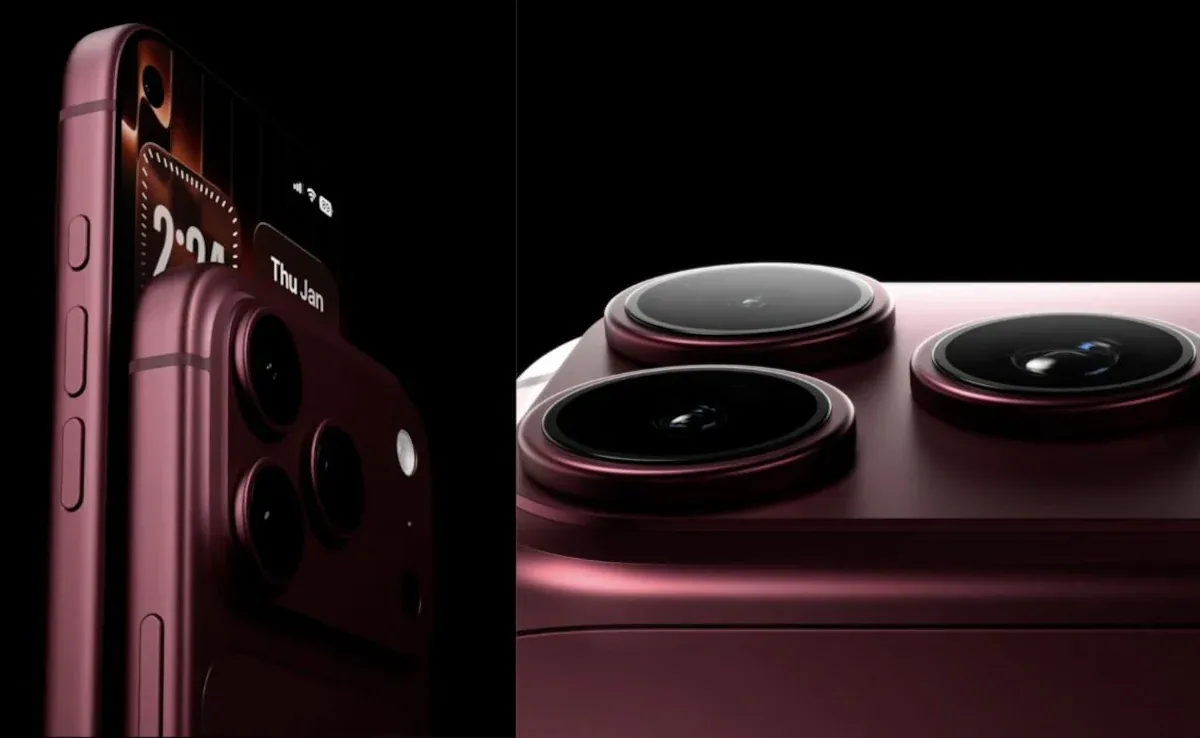
The iPhone 18 Pro isn't just designed to take better photos. Apple has also added a long list of video features aimed at everyone from casual creators to professional filmmakers.
The headline specifications include 4K Dolby Vision recording at up to 120fps, ProRes RAW, Apple Log 2, Genlock, improved low-light video and a new ability to apply Cinematic effects to regular video after you've recorded it.
Apple has also upgraded Audio Mix, added 4K Dolby Vision time-lapse recording and kept features such as Action mode, Spatial video and Dual Capture.
Here's what the iPhone 18 Pro can actually do when it comes to video.
iPhone 18 Pro video features at a glance
Video feature | iPhone 18 Pro |
|---|---|
4K Dolby Vision | Up to 120fps |
1080p Dolby Vision | Up to 120fps |
Cinematic mode | Up to 4K Dolby Vision at 60fps |
Cinematic effects after recording | Yes |
ProRes | Up to 4K 120fps with external recording |
ProRes RAW | Yes |
Apple Log 2 | Yes |
Genlock | Yes |
Action mode | Up to 2.8K Dolby Vision at 60fps |
Spatial video | 1080p at 30fps |
Slow motion | 4K Dolby Vision up to 120fps |
Dual Capture | Up to 4K Dolby Vision at 30fps |
Macro video | Yes |
4K time-lapse | Yes |
Night mode time-lapse | Yes |
Digital video zoom | Up to 24x |
Audio Mix | Yes |
Audio recording | Spatial Audio and stereo |
Microphones | Four studio-quality microphones |
These specifications come from Apple's official iPhone 18 Pro technical specifications.
4K Dolby Vision video at up to 120fps
The biggest headline feature is 4K Dolby Vision recording at up to 120fps.
The Fusion Main camera supports 4K Dolby Vision at:
24fps
25fps
30fps
60fps
100fps
120fps
The 100fps and 120fps options are available through the Fusion Main camera.
This gives you a lot of flexibility.
For normal footage, 24fps or 30fps makes sense. If you're recording fast-moving subjects or want slow-motion footage, the higher frame rates become more useful.
What does 120fps actually mean?
A frame rate of 120fps means the camera captures 120 individual frames every second.
That gives you considerably more frames to work with when slowing footage down.
For example, footage captured at 120fps can be slowed down in a 30fps timeline to create a 4x slow-motion effect while retaining smooth motion.
The iPhone 18 Pro also supports 4K Dolby Vision slow motion at up to 120fps.
What is Dolby Vision?
Dolby Vision is an HDR video format designed to preserve a wider range of brightness and color information than standard video.
On the iPhone 18 Pro, Dolby Vision is available for 4K recording, including frame rates up to 120fps.
In practical terms, this can give compatible footage more detail in bright highlights and darker areas while producing richer color.
You don't need to understand HDR workflows to benefit from it.
The iPhone handles much of the processing automatically.
For creators who edit their footage, though, Dolby Vision becomes another part of the overall workflow that needs to be considered when choosing an editing and delivery format.
Cinematic mode gets a major change
Cinematic mode isn't new to the iPhone, but Apple has changed how it works on the iPhone 18 Pro.
The phone can now apply Cinematic effects to regular video after you've recorded it.
That's useful because you don't necessarily have to decide on the cinematic look while you're shooting.
You can record the scene normally and add the effect later.
Apple supports Cinematic mode at up to 4K Dolby Vision at 60fps.
Why is post-capture Cinematic mode useful?
Imagine you're recording a family event or a travel video.
You might not know in advance which part of the scene deserves the cinematic treatment.
With post-capture effects, you can make that decision while editing.
It gives you more flexibility without requiring another take.
Cinematic effects vs normal video
There's an important difference between regular video and Cinematic effects.
Regular video records the scene without the artificial depth-of-field treatment associated with Cinematic mode.
Cinematic effects are designed to create a more film-like look by controlling which parts of the frame appear in focus.
On the iPhone 18 Pro, Apple lets you apply these effects after capture, which makes them more flexible than they were previously.
For casual creators, this could be one of the more useful new video features.
Better low-light video
Low-light video has always been more difficult than taking a still photo in the same environment.
The camera needs to capture multiple frames continuously while dealing with movement.
Apple says the iPhone 18 Pro improves low-light video at night and indoors by intelligently adjusting aperture and frame rate to produce brighter and clearer footage.
This is particularly interesting because the iPhone 18 Pro's Fusion Main camera also has a physical variable aperture.
The camera can adjust how much light reaches the sensor depending on the shooting conditions.
That can help in situations such as:
Indoor events
Restaurants
Concerts
Evening street scenes
Night travel videos
Dimly lit rooms
Variable aperture and video
The variable aperture isn't only useful for photos.
The iPhone 18 Pro can adjust the aperture as part of its low-light video system.
The Main camera has four aperture settings:
ƒ/1.48
ƒ/1.8
ƒ/2.8
ƒ/4.0
Apple says the camera can intelligently adjust aperture and frame rate when shooting in low light.
That gives the camera more physical control over the amount of light entering the lens.
It's one of the more interesting ways the new variable-aperture system affects video rather than just photography.
ProRes and ProRes RAW
If you're a professional creator, ProRes RAW is one of the more important additions.
ProRes is designed for professional video workflows and gives editors more flexibility than highly compressed consumer video formats.
The iPhone 18 Pro supports ProRes recording up to 4K at 120fps with external recording. It also supports ProRes RAW.
ProRes RAW is particularly relevant for filmmakers who want more control during post-production.
It's not something most people need for a quick social media video.
But if you're shooting footage that will go through a serious editing workflow, having the option can make the iPhone considerably more useful.
Apple Log 2
The iPhone 18 Pro also supports Apple Log 2.
Log recording is designed to preserve more information for color grading.
Instead of trying to make the footage look finished straight out of the camera, Log gives professional editors more room to adjust the image during post-production.
This is particularly useful when footage from the iPhone needs to match footage from dedicated cinema cameras.
Apple specifically positions Apple Log 2 as part of the iPhone 18 Pro's professional video toolset.
Genlock for multicamera shoots
Another feature aimed squarely at professional production is Genlock.
Genlock allows multiple cameras to synchronize their timing.
That matters when you're shooting with several cameras and need the footage from each camera to line up precisely.
For example, a production could use the iPhone 18 Pro alongside other cameras for:
Interviews
Live performances
Events
Multi-camera productions
Film projects
Apple includes Genlock support alongside ProRes RAW and Apple Log 2 in the iPhone 18 Pro's professional video feature set.
Most iPhone owners will never use it.
For professional creators, it can be a much bigger deal.
Action mode
Action mode remains available for situations where you're moving while recording.
The iPhone 18 Pro supports Action mode up to 2.8K Dolby Vision at 60fps.
It's designed to provide more stable footage when you're:
Walking
Running
Cycling
Following a subject
Recording while moving
If you're shooting handheld footage without a gimbal, Action mode can help produce smoother results.
Spatial video
The iPhone 18 Pro can also record spatial video at 1080p and 30fps.
Spatial video is designed for compatible Apple devices and headsets that can display depth information.
It's a more specialized recording mode, but it gives iPhone users another way to capture memories that can later be viewed with a more immersive sense of depth.
Dual Capture
Dual Capture lets the iPhone record using the front and rear cameras at the same time.
The iPhone 18 Pro supports Dual Capture at up to 4K Dolby Vision at 30fps.
This can be useful for creators who want to show both themselves and what's happening in front of the camera.
For example:
Travel videos
Reaction videos
Product demonstrations
Tutorials
Vlogs
Event coverage
You don't have to choose between showing the subject and showing yourself.
Both can be captured simultaneously.
Macro video
The iPhone 18 Pro also supports macro video, including slow motion and time-lapse.
Macro video can be useful for getting close to small subjects such as:
Flowers
Food
Insects
Products
Textures
Small objects
Because the Ultra Wide camera handles macro photography, you can get physically close to a subject while keeping more of the scene in view.
4K time-lapse
Time-lapse gets a resolution upgrade as well.
The iPhone 18 Pro supports 4K Dolby Vision time-lapse recording with stabilization.
That makes it possible to capture long events in a much higher-resolution format.
Good subjects include:
Sunsets
Clouds
Traffic
Construction
City scenes
Long journeys
Crowds
There's also a Night mode time-lapse option for darker environments.
Audio Mix
Good video isn't only about the picture.
Apple has also upgraded the audio side of the iPhone 18 Pro.
Audio Mix lets you adjust how voices, music and surrounding sounds are heard in a recorded video.
Apple says the updated algorithms can now isolate music as well as improve voice quality.
This can be particularly useful when recording:
Concerts
Performances
Interviews
Street videos
Events
Vlogs
For example, if you're recording a musical performance, Audio Mix can help separate the music from surrounding noise.
Four studio-quality microphones
The iPhone 18 Pro has four studio-quality microphones.
Apple also includes:
Spatial Audio recording
Stereo recording
Wind noise reduction
Audio Mix
Audio zoom
These features work together to make the phone more useful for creators who don't want to carry a separate audio recorder for every situation.
That doesn't mean an external microphone is unnecessary for professional productions.
But for quick recording, interviews and social content, the built-in system gives you more options.
Audio zoom
Audio zoom works alongside the camera's zoom.
As you zoom toward a subject, the phone can focus its audio capture more closely on that area.
This can be useful when you're recording something from a distance and want the sound to feel more connected to the subject you're filming.
It's especially useful for events, performances and sports.
Video stabilization
The iPhone 18 Pro has several stabilization systems.
The Fusion Main camera uses second-generation sensor-shift optical image stabilization for video.
The Fusion Telephoto uses 3D sensor-shift optical image stabilization and autofocus.
Apple also provides Cinematic video stabilization and Action mode.
This means you have different levels of stabilization depending on the type of footage you're recording.
How much video zoom does the iPhone 18 Pro support?
The iPhone 18 Pro supports up to 24x digital zoom for video.
The three-camera system provides optical-quality options at different focal lengths, while digital zoom takes you beyond the native optical range.
For the best image quality, you'll generally want to stay closer to the phone's native camera and optical-quality ranges.
Digital zoom is more useful when getting physically closer isn't possible.
iPhone 18 Pro video formats
The iPhone 18 Pro supports several recording formats:
HEVC
H.264
ProRes
ProRes RAW
That gives casual users a familiar compressed format while giving professional creators options for higher-end editing workflows.
The right format depends on what you're doing with the footage afterward.
For social media, HEVC or H.264 may be more practical.
For professional editing, ProRes or ProRes RAW can make more sense.
What video features will most people actually use?
Not every feature on the iPhone 18 Pro is aimed at everyday users.
Here's how I'd divide them:
Feature | Best suited for |
|---|---|
4K Dolby Vision | Everyone |
120fps recording | Creators / slow motion |
Cinematic effects after capture | Everyone |
Improved low-light video | Everyone |
Action mode | Travel / sports |
Dual Capture | Vloggers / creators |
Audio Mix | Creators |
Macro video | Photography enthusiasts |
4K time-lapse | Travel / creative shooting |
Spatial video | Apple ecosystem users |
ProRes | Professional creators |
ProRes RAW | Filmmakers |
Apple Log 2 | Professional color grading |
Genlock | Professional productions |
The biggest everyday improvements are probably better low-light video, Dolby Vision, Cinematic effects after capture and improved audio tools.
ProRes RAW, Apple Log 2 and Genlock are much more specialized.
iPhone 18 Pro video vs a dedicated camera
The iPhone 18 Pro isn't going to replace every dedicated camera.
A mirrorless or cinema camera still offers advantages such as interchangeable lenses, larger sensors, dedicated physical controls and more specialized accessories.
But the iPhone has a different advantage.
You already have it in your pocket.
The iPhone 18 Pro combines 4K 120fps Dolby Vision, variable aperture, professional recording formats, stabilization, multiple cameras and advanced audio features in a device that can be used without carrying a separate camera system.
For travel creators, YouTubers and people who want high-quality footage without a large setup, that's a significant advantage.
Which iPhone 18 Pro video feature matters most?
For most people, I'd put them in this order:
1. 4K Dolby Vision at up to 120fps
This gives you high-resolution HDR video and plenty of flexibility for slow motion.
2. Cinematic effects after capture
Being able to decide on the cinematic look after recording is much more flexible than having to commit to it while shooting.
3. Improved low-light video
This should make a difference in everyday situations where lighting isn't ideal.
4. Audio Mix
Better control over voices, music and background noise can make a bigger difference than people expect.
5. ProRes RAW and Apple Log 2
These are the biggest additions for professional creators, but most casual users won't need them.
iPhone 18 Pro video features: The bottom line
The iPhone 18 Pro's video system goes well beyond simply recording 4K footage.
You get 4K Dolby Vision at up to 120fps, Cinematic effects that can be applied after recording, improved low-light video, Action mode, Spatial video, Dual Capture, macro video and 4K Dolby Vision time-lapse.
For serious creators, the bigger story is the professional toolset: ProRes RAW, Apple Log 2 and Genlock.
The upgraded Audio Mix and four studio-quality microphones also show that Apple isn't treating video as a picture-only feature.
The most interesting part is how many different types of creators the iPhone 18 Pro now covers. Someone recording family videos can simply point and shoot in 4K Dolby Vision. A YouTuber can use Dual Capture and Audio Mix. A filmmaker can record ProRes RAW with Apple Log 2 and use Genlock in a multicamera setup.
You don't need to use all of these features.
The useful thing is that they're there when you need them.
For the camera hardware behind these video features, see our iPhone 18 Pro Camera Specs guide. If you're interested in controlling the camera manually, our iPhone 18 Pro Pro Controls Explained guide covers aperture, shutter speed, white balance and histogram in more detail.
Comments
No comments yet — be the first to comment.